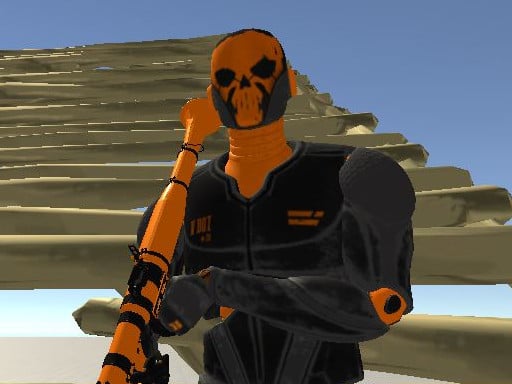
Fort Schütze Simulator


Fort Schütze Simulator puts you in the driver’s seat of a full‑blown Simulation sandbox. Craft massive forts block by block, then arm yourself with an arsenal of weapons and test every angle. The game runs on WebGL, delivering crisp 3D visuals right in your browser. No downloads, no hassle—just pure, instant action. Whether you’re a casual builder or a tactical shooter, the freedom to design and destroy keeps the adrenaline high.
Control feels tight, and every click matters. Move, aim, and fire with a layout that’s instantly familiar.
Winning isn’t just about raw firepower. Start with a sturdy base: lay down a low‑profile foundation, then stack higher walls for line‑of‑sight advantage. Use the 1‑4 weapon slots to rotate between rifles, shotguns, and long‑range cannons. Keep an eye on ammo types; certain projectiles shred wooden sections faster, while others bounce off metal. Upgrade your fort with reinforced plates once you’ve gathered enough resources. The map is a living 3D Games arena—enemy AI will flank, so place turrets on corners and create choke points. Master the timing of the 5‑7 toolset to lay traps or deploy smoke for a quick retreat. Progress unlocks new weapon skins and structural modules, rewarding creative engineers who think ahead.
Ready to claim the battlefield? Jump straight into the action at Fort Schütze Simulator and start building your ultimate stronghold. The experience runs smooth on any modern browser, thanks to WebGL optimization. For more titles like this, explore the full catalog at PlayHop. Your fortress awaits—place, aim, fire, repeat.

We use cookies to help you navigate efficiently and perform certain functions. You will find detailed information about all cookies under each consent category below.
The cookies that are categorised as "Necessary" are stored on your browser as they are essential for enabling the basic functionalities of the site.
Necessary cookies are required to enable the basic features of this site, such as providing secure log-in or adjusting your consent preferences. These cookies do not store any personally identifiable data.
Functional cookies help perform certain functionalities like sharing the content of the website on social media platforms, collecting feedback, and other third-party features.
Analytical cookies are used to understand how visitors interact with the website. These cookies help provide information on metrics such as the number of visitors, bounce rate, traffic source, etc.
Advertisement cookies are used to provide visitors with customised advertisements based on the pages you visited previously and to analyse the effectiveness of the ad campaigns.
We also use third-party cookies that help us analyse how you use this website, store your preferences, and provide the content and advertisements that are relevant to you. These cookies will only be stored in your browser with your prior consent.
You can choose to enable or disable some or all of these cookies but disabling some of them may affect your browsing experience.