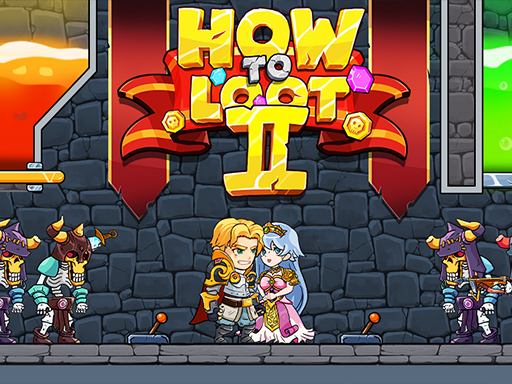
How to Loot 2 - Hero Rescue & Pin Pull


Imagine a frantic rescue mission where every click could mean life or death for a captured hero. How to Loot 2 - Hero Rescue & Pin Pull drops you straight into that pressure cooker. The stakes are simple: pull pins, free allies, and rack up loot before the timer expires. If you crave instant gratification mixed with clever puzzles, this H5 title delivers nonstop thrills. PlayHop’s latest interactive hit keeps you glued with crisp graphics and a relentless beat that never quits.
The control scheme is stripped down to the essentials. Move, aim, and pull—nothing more. This design lets you focus on split‑second decisions without fumbling through menus.
Winning isn’t about brute force; it’s about rhythm. Start each round by scanning the board for the nearest pinned hero. Prioritize those with the shortest pull distance—those are your low‑cost wins. As you free more characters, the loot multiplier climbs, rewarding aggressive but calculated play.
Watch the color‑coded pins. Red indicates a timer‑sensitive lock; green means a safe pull. Timing your mouse clicks to sync with the beat can shave precious seconds off your total. When the board fills with multiple pins, chain your pulls in a single swipe. The combo meter spikes, and the score multiplier skyrockets.
Don’t ignore the hidden bonus tiles. They appear randomly and grant extra loot or a temporary slowdown of the timer. Aim for them after you’ve cleared the most urgent pins. This two‑phase approach—first rescue, then exploit bonuses—keeps the action fresh and the puzzle element engaging.
Level progression follows a clear curve. Early stages teach you the pull mechanics; later stages throw in moving obstacles and decoy pins. Adapt by adjusting your mouse sensitivity in the settings menu. A tighter cursor gives you finer control, while a looser setting helps cover larger sections faster.
Remember, the game updates monthly with fresh maps and new hero skins. Staying on the latest version ensures you experience every new twist PlayHop adds to the formula.
Ready to prove you can master the chaos? Jump straight into How to Loot 2 - Hero Rescue & Pin Pull and start racking up loot before the timer runs out. The action won’t wait—grab your mouse, fire up the keyboard, and rescue those heroes now.

We use cookies to help you navigate efficiently and perform certain functions. You will find detailed information about all cookies under each consent category below.
The cookies that are categorised as "Necessary" are stored on your browser as they are essential for enabling the basic functionalities of the site.
Necessary cookies are required to enable the basic features of this site, such as providing secure log-in or adjusting your consent preferences. These cookies do not store any personally identifiable data.
Functional cookies help perform certain functionalities like sharing the content of the website on social media platforms, collecting feedback, and other third-party features.
Analytical cookies are used to understand how visitors interact with the website. These cookies help provide information on metrics such as the number of visitors, bounce rate, traffic source, etc.
Advertisement cookies are used to provide visitors with customised advertisements based on the pages you visited previously and to analyse the effectiveness of the ad campaigns.
We also use third-party cookies that help us analyse how you use this website, store your preferences, and provide the content and advertisements that are relevant to you. These cookies will only be stored in your browser with your prior consent.
You can choose to enable or disable some or all of these cookies but disabling some of them may affect your browsing experience.