Queen of the Maze – a fast‑paced puzzle sprint you can’t miss
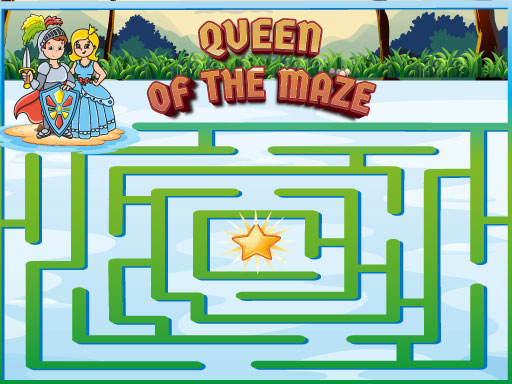
Every tap, swipe, or click pushes you deeper into a twisting 2D labyrinth where the queen herself watches. The goal? Outrun the timer, dodge dead‑ends, and claim the crown at the center. It’s hyper‑casual, it’s mobile‑first, and it runs smooth as HTML5 silk on any browser. The design feels classic, but the speed feels fresh. If you love quick‑think puzzles that test reflexes, this online maze will keep you glued. PlayHop’s latest title proves that simple controls can still deliver a heart‑racing challenge.
Mechanics
Control the queen with a handful of gestures. Desktop players click left or right to pivot. Mobile fans swipe in any direction to slide across corridors. All actions happen instantly, so you stay in the moment.
- Desktop Use the right and left click button to move left and right Mobile swipe right left and up down to move everywhere Controls and indicators Upper left side of the screen has the pause button The scores and levels are shown in the upper middle of
Strategy
Winning isn’t about brute speed; it’s about pattern recognition. The maze reshapes after each level, so memorizing one route won’t cut it. Look for recurring wall colors—they often hint at safe passages. When you spot a dead‑end, backtrack quickly; the timer keeps ticking. Keep an eye on the score bar in the upper middle; higher scores unlock bonus mazes that drop extra time. For mobile players, a short flick yields more distance than a long drag, so practice quick, crisp swipes. The more you play, the better you’ll anticipate the queen’s next twist, turning each run into a flawless sprint.
Ready to claim the throne? Jump straight into Queen of the Maze and prove you can out‑think every twist. PlayHop has packed hours of replay value into a single, bite‑size session. Start now, beat your best time, and let the queen crown you the ultimate maze master.
Desktop Use the right and left click button to move left and right Mobile swipe right left and up down to move everywhere Controls and indicators Upper left side of the screen has the pause button The scores and levels are shown in the upper middle of