Swordbattle.io – Fast‑Paced Sword Clash in a Tiny Arena
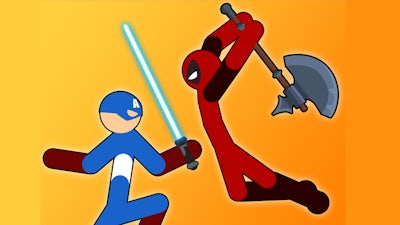
Two blades, one arena, endless clash. Swordbattle.io drops you into a 2D battle royale where every swing can make you the biggest, the strongest, the last standing. Coins rain from every defeated foe, and each pile upgrades your sword, your reach, your bragging rights. The game feels like classic arcade action, but the stakes rise with every clash. If you love .io Games that mix quick reflexes with a dash of strategy, this arena‑style brawl hits the sweet spot. Boys and girls alike can jump in, grab a sword, and watch the chaos explode.
Controls are razor‑thin, so you can focus on the fight. Mouse mode defaults to click‑to‑swing, right‑click to throw, and move your mouse to slide. Keyboard‑mouse adds WASD or Arrow keys for movement, click‑and‑point to swing, and C to lob a sword. Press Enter for chat—be nice. Here’s the quick cheat sheet:
- Mouse mode default – click to swing, right click to throw, move mouse to move.
- Keyboard + mouse – WASD or Arrow keys to move, click and point to swing, C to throw sword.
- Enter – open chat with other players.

Swordbattle.io Strategy & Addictiveness
First, farm low‑level enemies. Their coins boost your size, and a bigger silhouette scares off newcomers. Keep your sword angled toward the center of the arena; most fights happen there, and staying on the edge limits surprise attacks. Remember, a thrown sword can thin out a crowd without exposing you to a counter‑strike. When you reach the “big boy” tier, focus on timing—swing just as an opponent’s blade passes you to land a critical hit. Pair up with a friend in 2 Player mode; coordinated attacks break through even the toughest cliques. The more you win, the faster new skins unlock, turning each match into a fresh visual treat.
Ready to dominate the arena? Jump straight into the fray on Swordbattle.io and let PlayHop fuel your next high‑score run. Sharpen that sword, lock eyes with rivals, and carve your name into the leaderboard. The battle never stops—so why wait?
Mouse mode default - click to swing right click to throw and move your mouse to move amp point Keyboard mouse - WASD or Arrow keys to move click and point mouse to swing and C to throw sword Enter - chat with other players please be nice